
The Opera browser has been around since 1995, but since that time it has gone through so many changes and is very different than how it was in the 90s or even the 2000s. I take a look at Opera 65 and see how it fares against competing web browsers.

The Opera browser has been around since 1995, but since that time it has gone through so many changes and is very different than how it was in the 90s or even the 2000s. I take a look at Opera 65 and see how it fares against competing web browsers.

Greenshot is an open source screenshot utility originally for Windows, but now available for macOS as well. It’s simple to configure and stays out of the user’s way unless activated with a shortcut key. There are a million screenshot programs, but let’s take a look at why Greenshot is a solid choice.

Cryptomator is an amazing piece of software for desktop and mobile operating systems. It’s the equivalent of bringing your own encryption to the cloud service of your choice. Whether you have Google Drive, Dropbox, Onedrive, or something else, all of these can be used with Cryptomator. Let’s take a look at how it works.
 I’m kind of a web browser fanatic. I’m always testing out different browsers and utilities. Today I want to talk about the current ad blockers available for Safari and which ones I think are worth using. Which one is the best ad blocker for Safari? I’ll give you my thoughts.
Updated 12/09/2016 (uBlock Origin has been ported to Safari! Anyone using the old uBlock for Safari should abandon it and switch to Origin ASAP)
 I haven’t seen anyone talk about this Japanese live conversion feature, so I thought I’d bring it up. When normally inputting Japanese on a computer, it’s usual to first type in romaji which gets converted into hiragana. From there, the person pushes the space bar and can convert the text into katakana, kanji, or other characters. This has been the case for a long time now.
I enjoy using a Mac, but the recent feature in OS X El Capitan for users of Japanese input drove me crazy. It’s called Japanese live conversion, and it automatically converts your romaji typing into the correct kanji based on context. In theory, this sounds really great and convenient, but I often found myself having to fight the system. There are times when I need to write something only in hiragana or katakana, but the Japanese live conversation feature thinks I want to write like a Japanese novelist and converts everything into kanji. It didn’t take long before I was hunting down a way to turn this thing off.
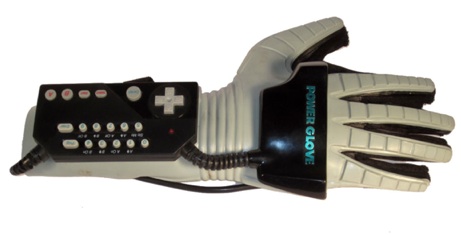
Finally, I can talk about OpenEmu! A long time ago, it wasn’t easy to find a way to play retro games (Nintendo, Super Nintendo, Sega Genesis) on Mac computers. It was always possible using Windows, but the software was ugly and not smooth to use. For Mac gamers, everything has changed since the release of a retro game emulator called “OpenEmu“, exclusively for the Mac.